

Introduction to Canvas
The canvas serves as the primary interface for API design in Hub. It represents your API as a visual diagram where data types, operations, and relationships are displayed as interconnected nodes. This visual approach makes it easier to understand how different parts of your API work together and communicate design decisions across teams. The canvas maintains consistency between the visual representation and your actual API definitions. All changes made through the canvas are immediately reflected in your API schema and synchronized across all collaborators on the same branch.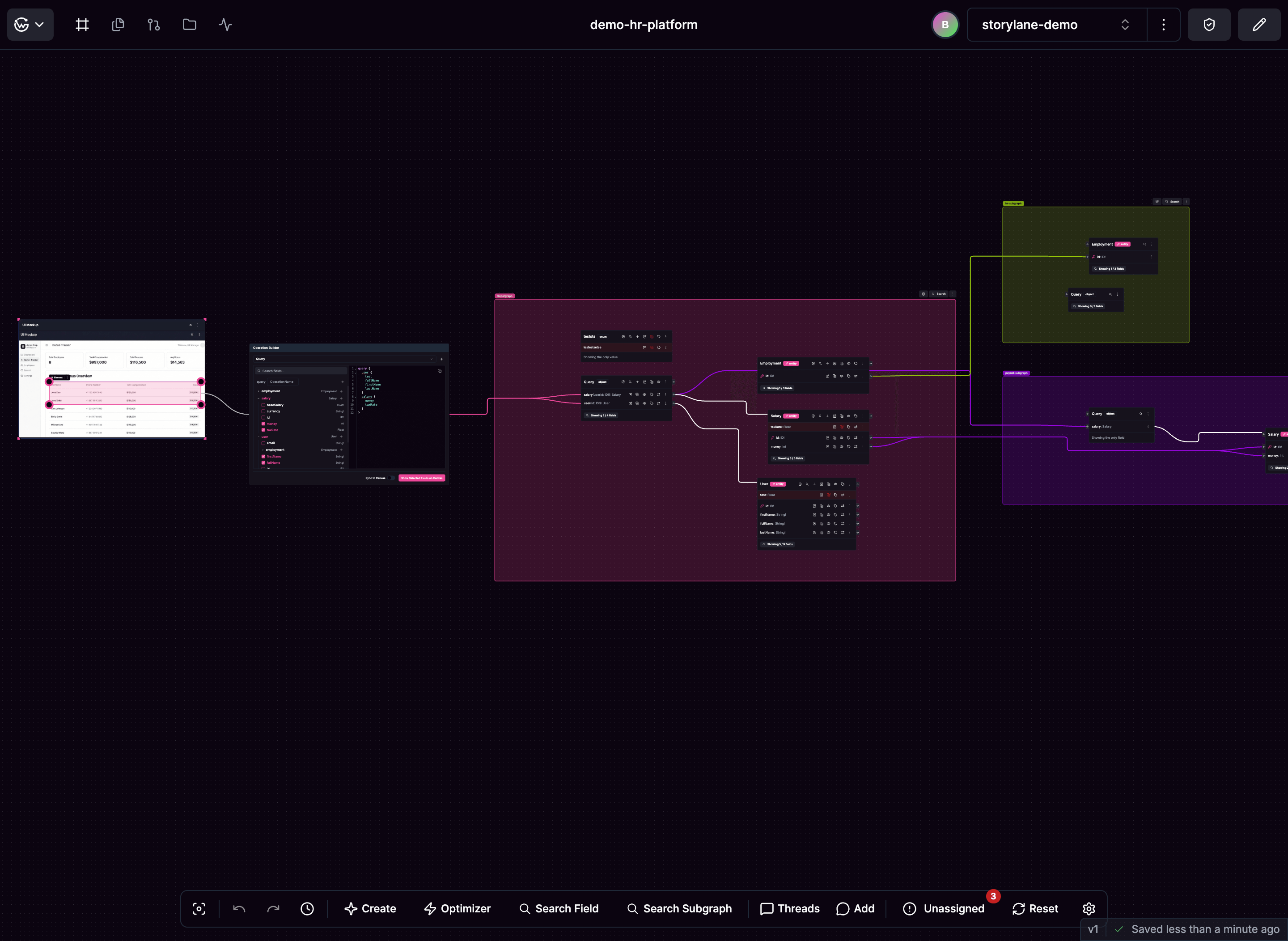
Key Features
Work with your team in real-time with live cursors and collaborative discussions. Build APIs visually with automatic layout that keeps everything organized. See how data flows between different services with clear connections. Optimize your API queries directly in the interface with built-in performance tools. Upload UI mockups and connect them to your API structure to align frontend and backend development.Getting Started
When you first access a graph, the canvas shows your existing API structure or import options if starting fresh. You can import existing APIs, start from scratch, or fork from main to create a new working branch. The canvas automatically organizes components with your main API at the center and supporting services around it. Create a graph to get started with your first API design.Navigation
Use your mouse wheel to zoom and drag to pan around the canvas. Click the fit view button to see all components at once, or click individual components to view their details. The bottom control panel gives you access to creation tools, search, and collaboration features. During team sessions, you’ll see live cursors and can participate in threaded discussions on components.Action Bar
The bottom control panel for creating, searching, and collaborating
Schema Elements
Types, fields, and nodes that make up your API design on the canvas