

Creating Types and Fields
Access the creation interface through the Create button in your workspace. The creation dialog provides two modes: New Fields for adding to existing types, and New Type for creating entirely new types with initial fields.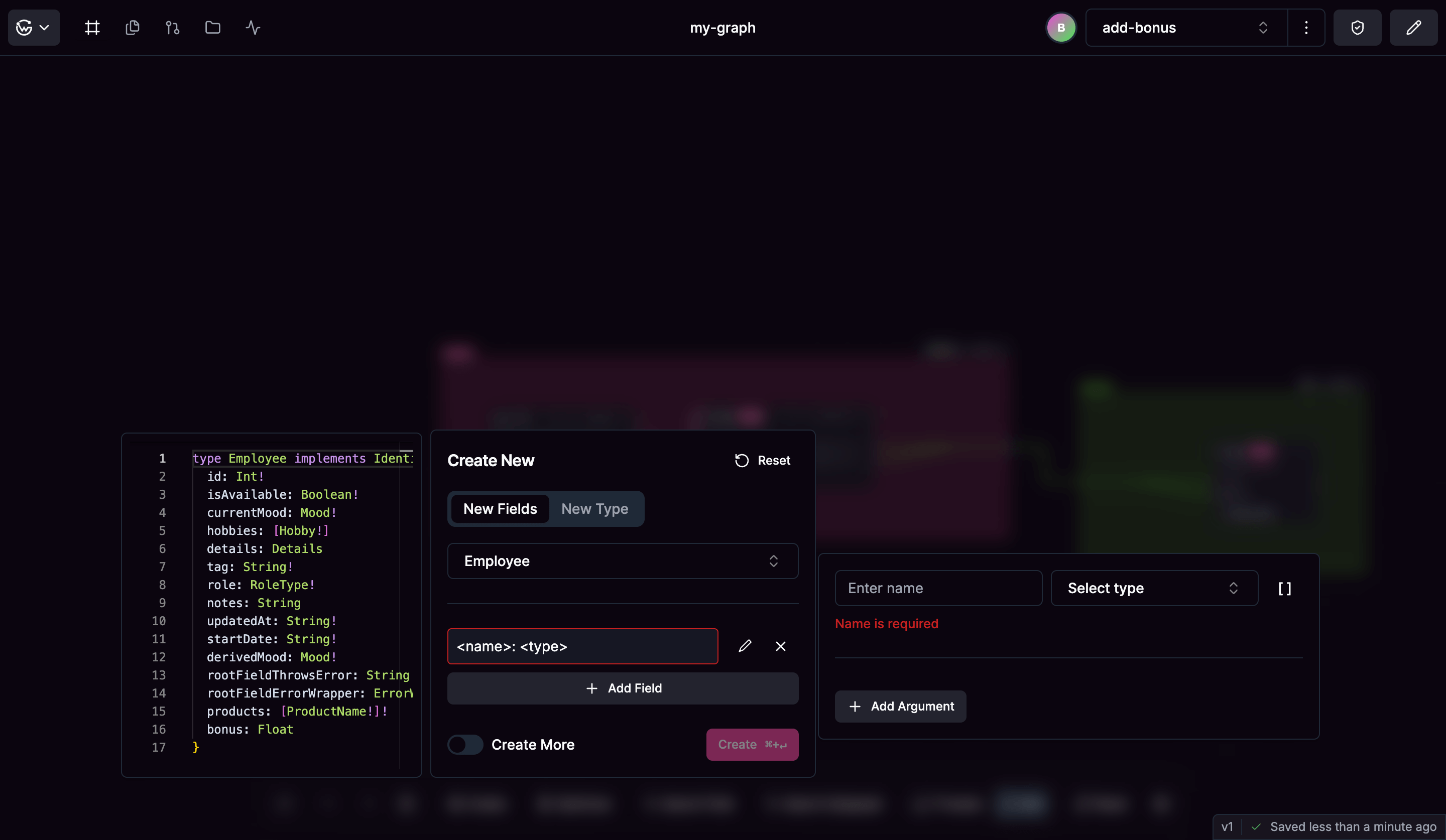
Creating New Types
When creating a new type, choose from:- Object types for main entities with fields that define properties
- Input Object types for operation arguments and structured input data
- Enum types for fixed sets of possible values
Adding Fields to Existing Types
Select an existing type from the dropdown to add new fields. The interface shows available types that can accept new fields (Object, Input Object, and Enum types). For each field you can configure:- The field name following GraphQL naming conventions
- Field type selected from available schema types
- Required status using GraphQL’s non-null syntax (!)
- List configuration for array types with configurable nullability
- Field arguments for parameterized fields
Subgraph Assignment
All types and fields are created at the supergraph level and then assigned to specific subgraphs for federation. This allows you to control which services own different parts of your schema.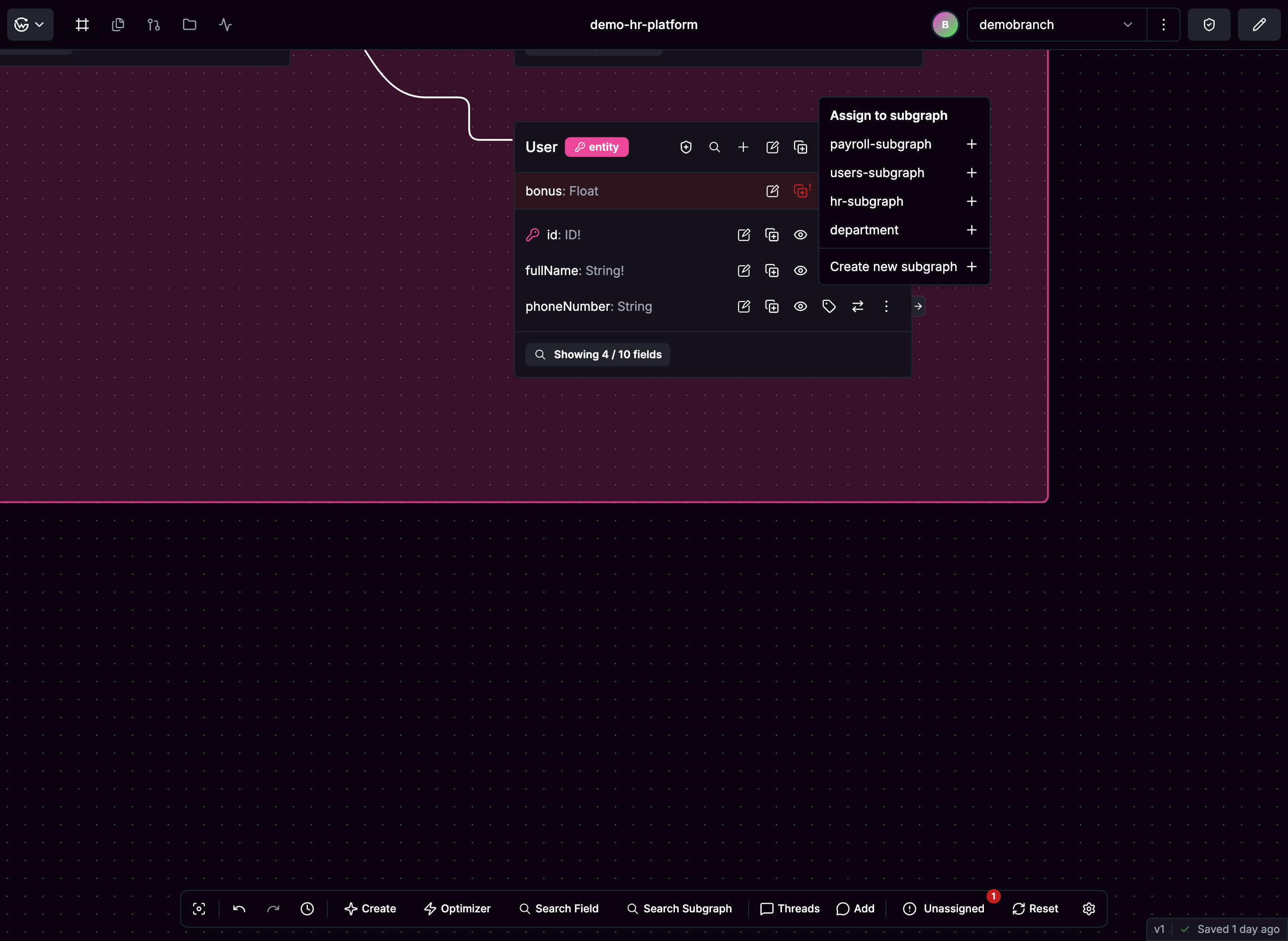
Assigning Types to Subgraphs
Use the Assign to option in the subgraph management menu to assign entire types to specific subgraphs. When you assign a type, all its fields are automatically included in that subgraph. The system automatically imports all dependencies - if referenced types don’t exist in the target subgraph, they are automatically imported to maintain schema integrity.Assigning Individual Fields
Individual fields can be assigned to different subgraphs than their parent type, enabling cross-service field distribution. This is useful for federated architectures where different services contribute fields to the same type. Dependencies for field types are automatically imported into the target subgraph when needed.Editing Fields
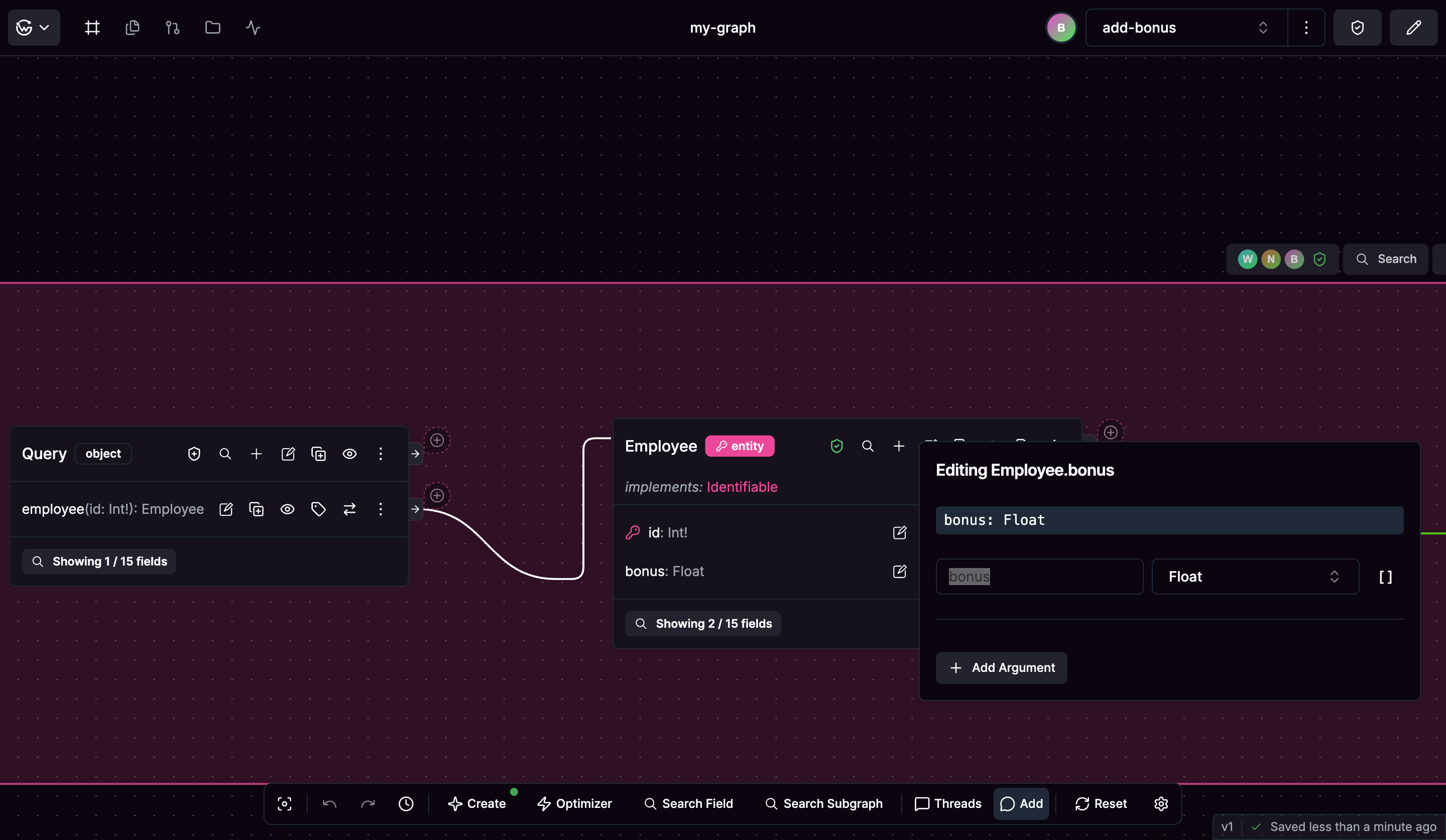
Edit existing fields by clicking the edit icon next to any field on the canvas. The field editor provides:- Name changes with automatic validation
- Type updates through dropdown selection or direct type string editing
- Argument management to add, modify, or remove field arguments
- Required/optional toggles for field nullability
- List type conversion between single values and arrays
Field Arguments
For Object and Interface type fields, you can add arguments that accept parameters. Each argument has a name and type, arguments use input types from your schema, and support for required/optional and list configurations is included. Real-time validation ensures argument names and types are valid.Validation and Feedback
The system provides immediate validation including:- Name validation against GraphQL naming rules
- Type compatibility checking for field assignments
- Duplicate prevention for field and argument names
- Dependency validation to prevent circular references