Overview
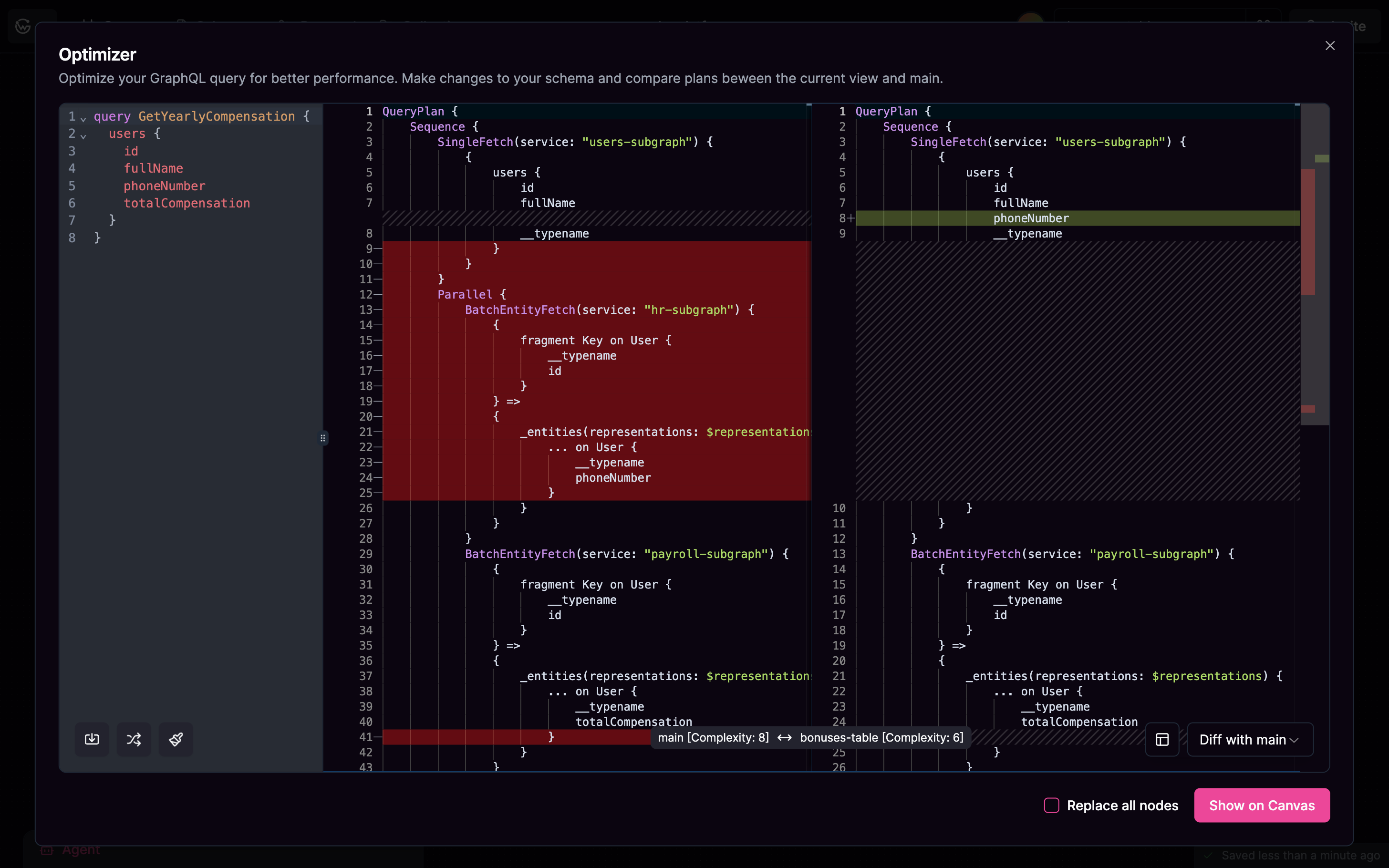
The optimizer connects to your schema and shows you exactly how each operation gets executed. You’ll see which services get called, in what order, and how complex each operation is. You can compare how the same operation runs on different versions of your schema and even visualize the execution path on your canvas.Features
Import operations from your collections or write new ones to test. The optimizer shows you step-by-step query plans so you can see which fields come from which services.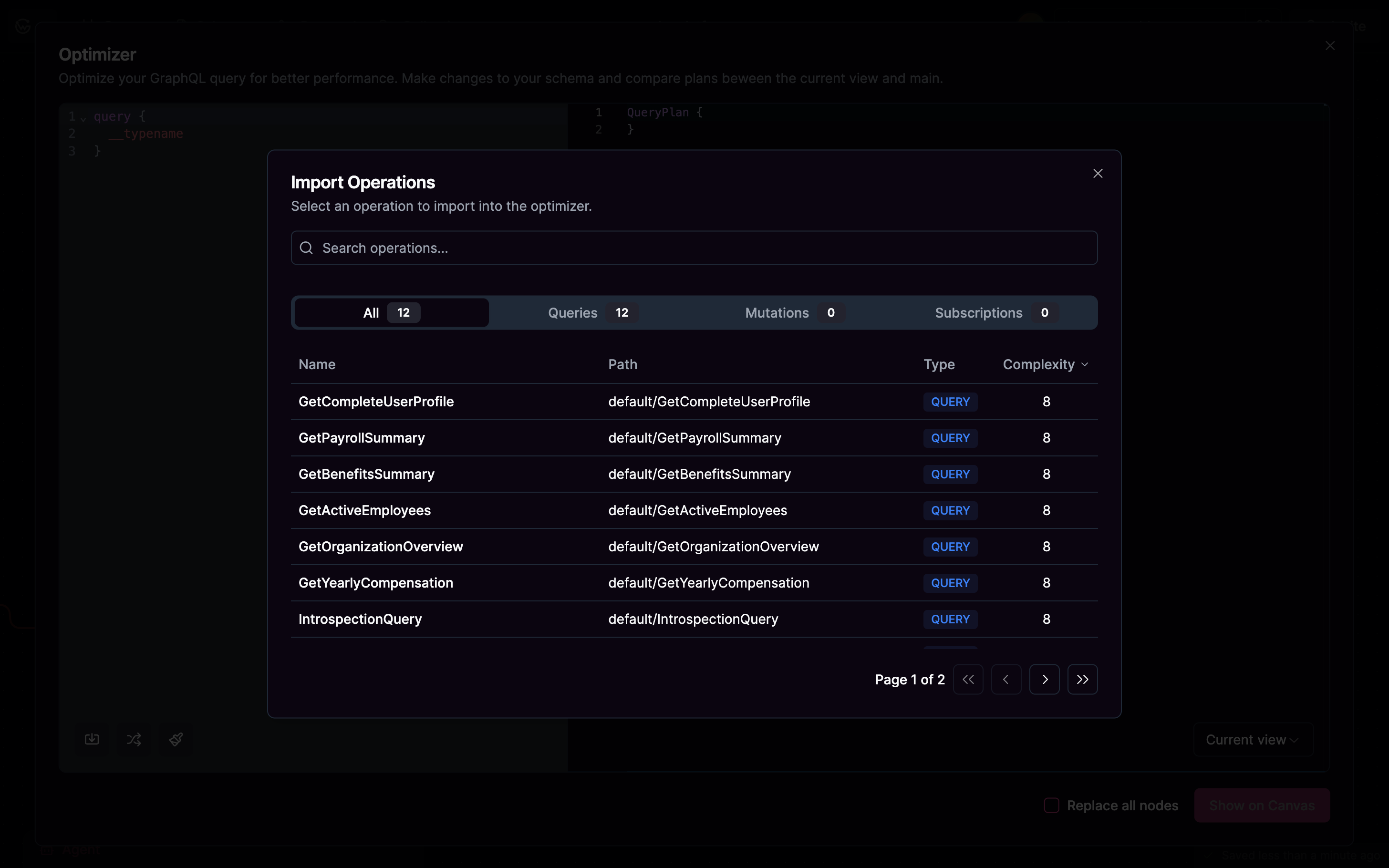
Analysis
See exactly how many service calls each operation makes and get complexity scores to identify expensive queries. When you’re comparing schema versions, you can view query plans side-by-side to see what changed.