Operation Builder nodes let you construct API operations and check them against your schema to validate requirements. You can also create new schema elements directly from the operation builder when you need operations or fields that don’t exist yet.

Creating Operation Builder Nodes

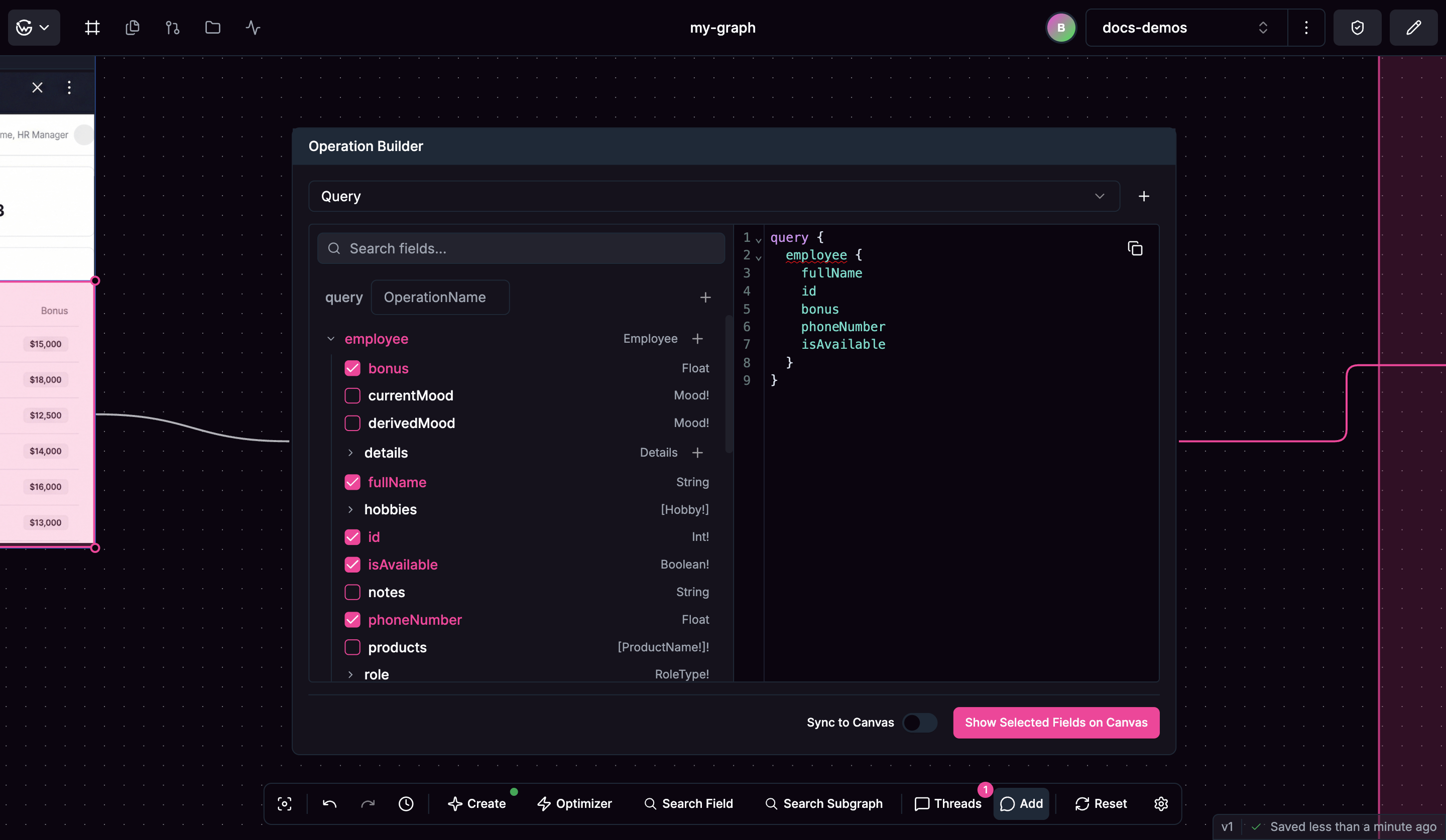
Operation Builder nodes are created automatically when you highlight UI mockup areas. Operation Builder node interface
Building Operations

Start by choosing your operation type:
  • Queries for reading data
  • Mutations for modifying data
  • Subscriptions for real-time updates
The field explorer lets you browse your schema structure and select which fields you want in your operation. When you need operations or fields that don’t exist yet, use the ”+” button in the field explorer to create new schema elements directly from the operation builder. As you build your operation, the operation preview shows you the actual syntax being generated. You can add variables to your operations for different scenarios and data inputs, making your operations more flexible and reusable.

Checking Requirements

Use “Show Selected Fields on Canvas” to visualize which schema elements your operation uses and check if they exist in your current design. Real-time schema validation shows whether your constructed operations are compatible with your current schema structure. Through requirements discovery, you can identify what schema elements you need to create to support your planned operations. This helps ensure your API design will support the operations you’re planning to build. Operation Builder nodes help you construct operations and discover schema requirements during the design phase.