

Setup and Configuration
1
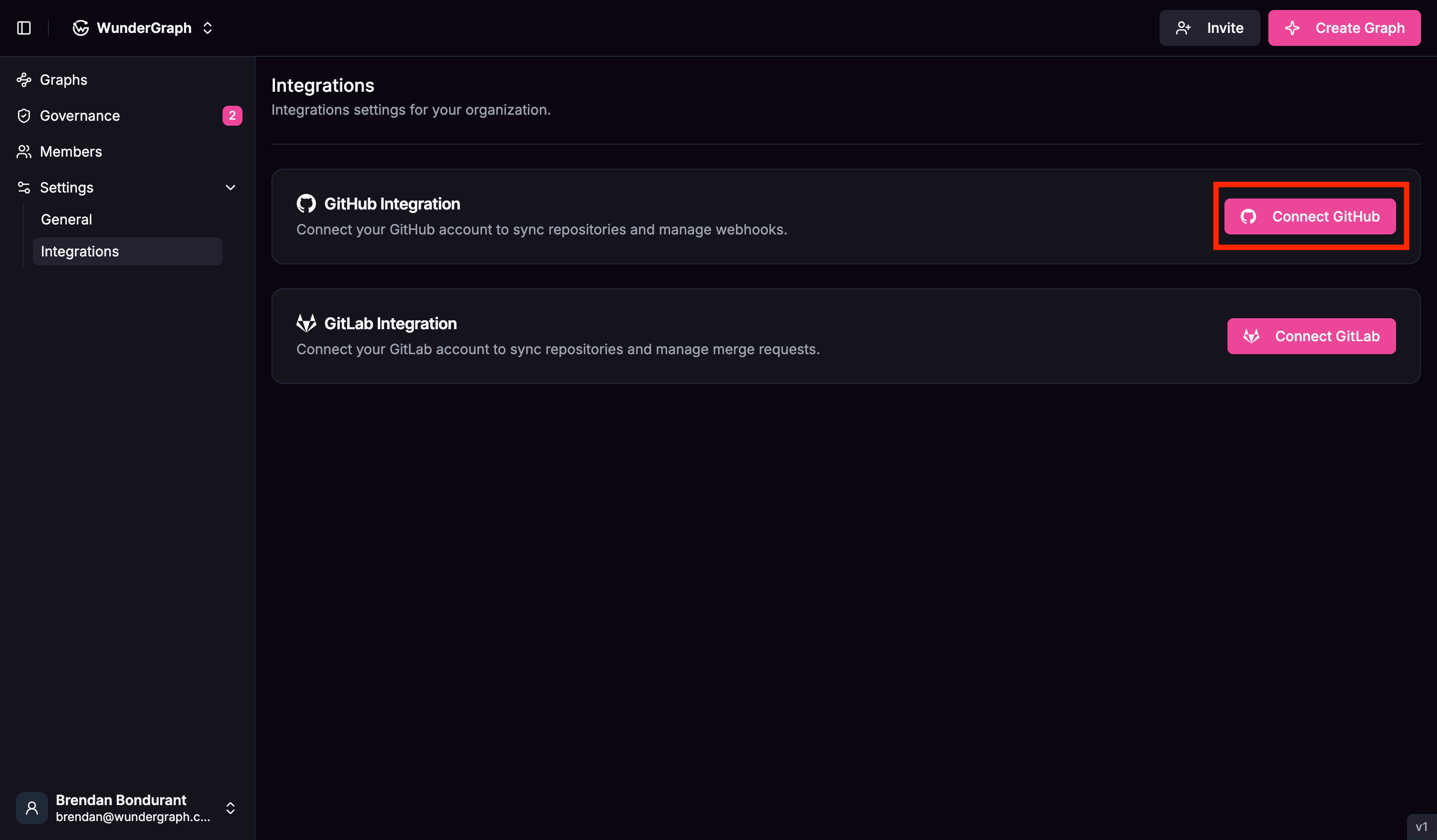
Naviagate to the "Integrations" tab under "Settings".
2
Click on the "Connect GitHub" button.
3
You will be redirected to GitHub to authorize the WunderGraph Hub application.
You can either select ‘All repositories’ or ‘Select repositories’ to connect the repositories you want to connect to the subgraphs in WunderGraph Hub.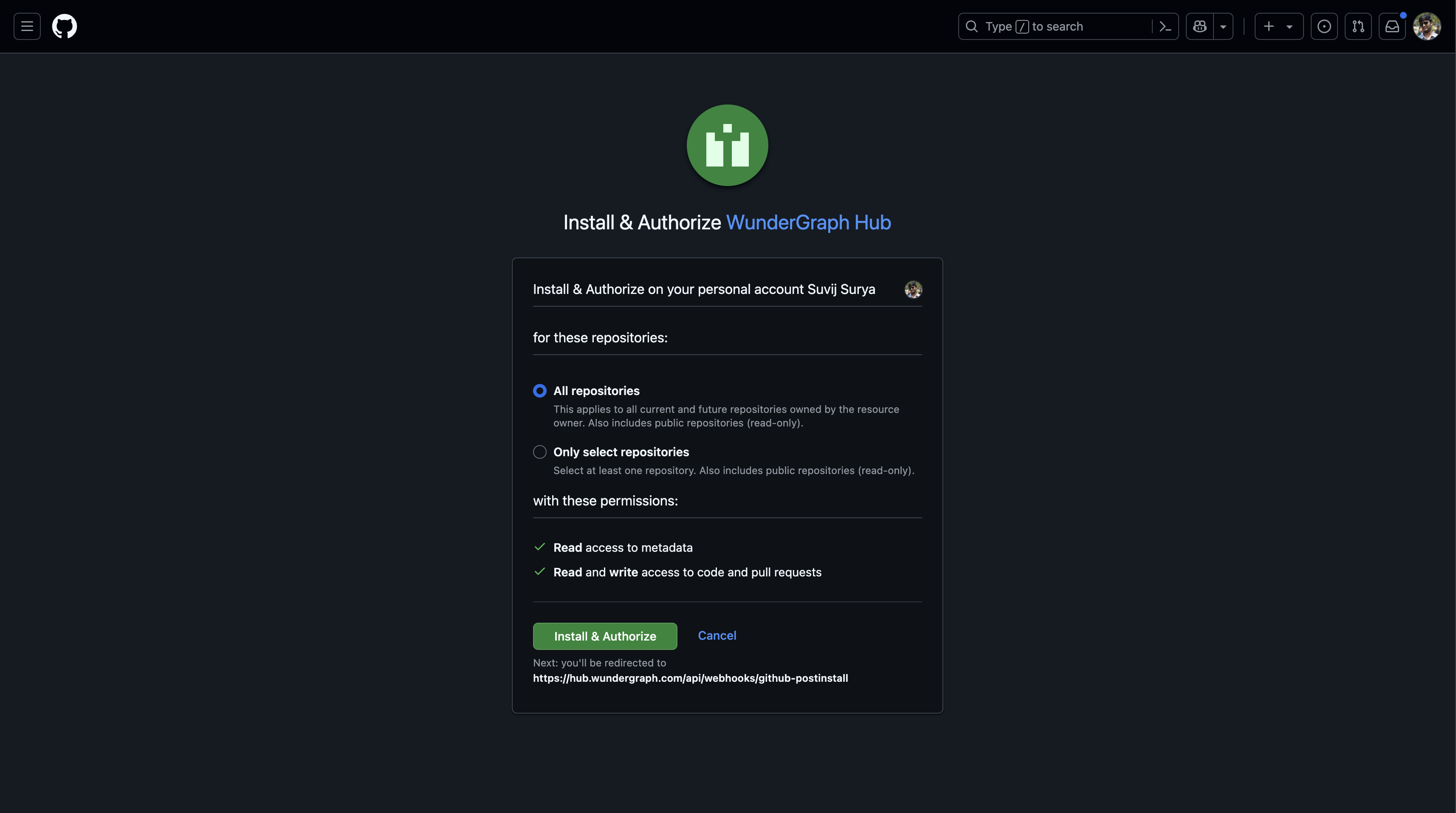
4
Once authorized, you will be redirected back to the WunderGraph Hub.
5
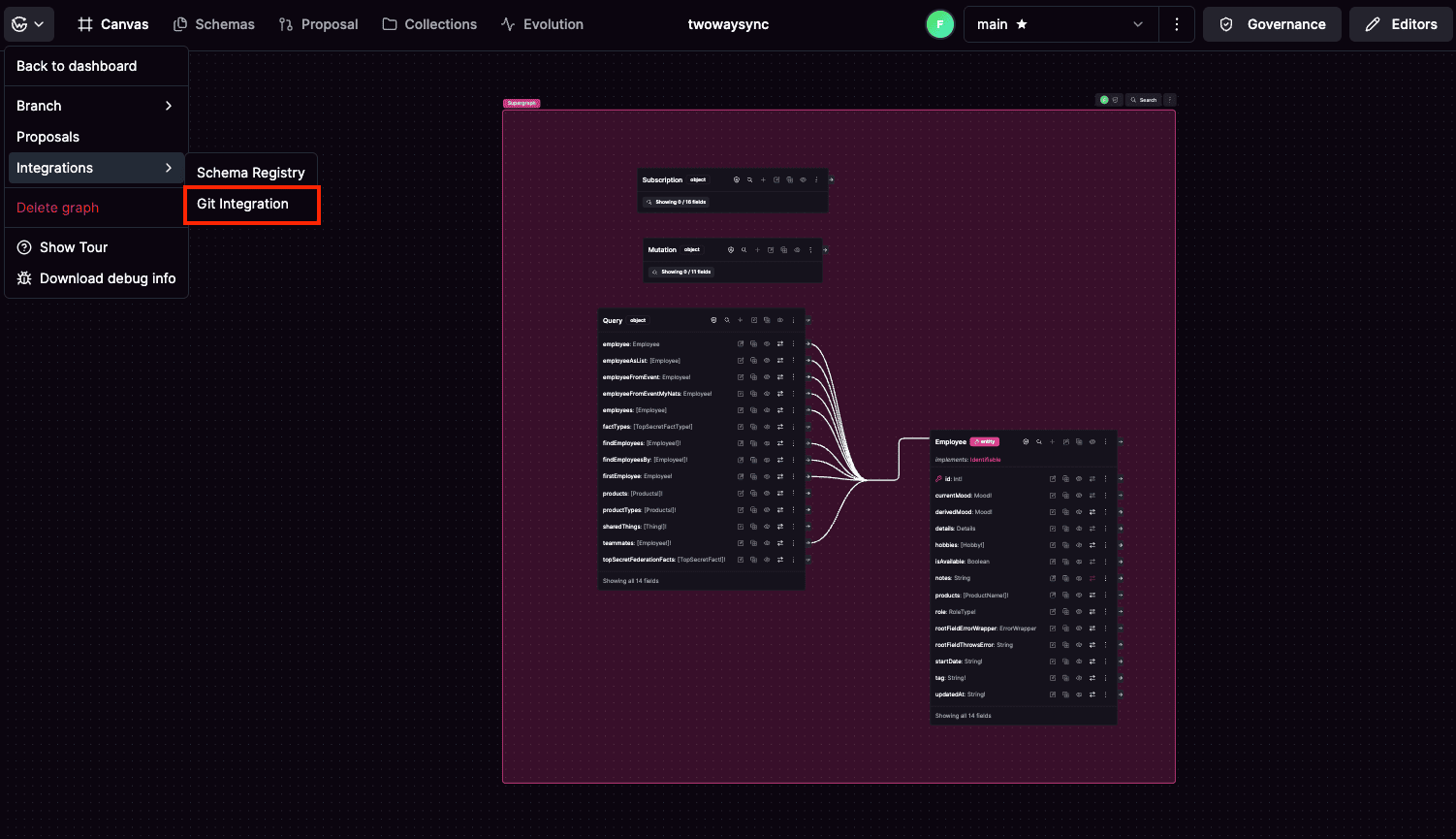
Now you can navigate to any of your graphs, Click on the dropdown on the top left corner, select "Integrations" and select "Git".
6
You can now select the repositories you want to connect to the subgraphs in WunderGraph Hub.
7
Once you have selected the repositories, you can click on the "Save Mappings" button to connect the repositories to the subgraphs in WunderGraph Hub.
This will create an initialization PRs in all the selected repositories with the respective subgraph schema.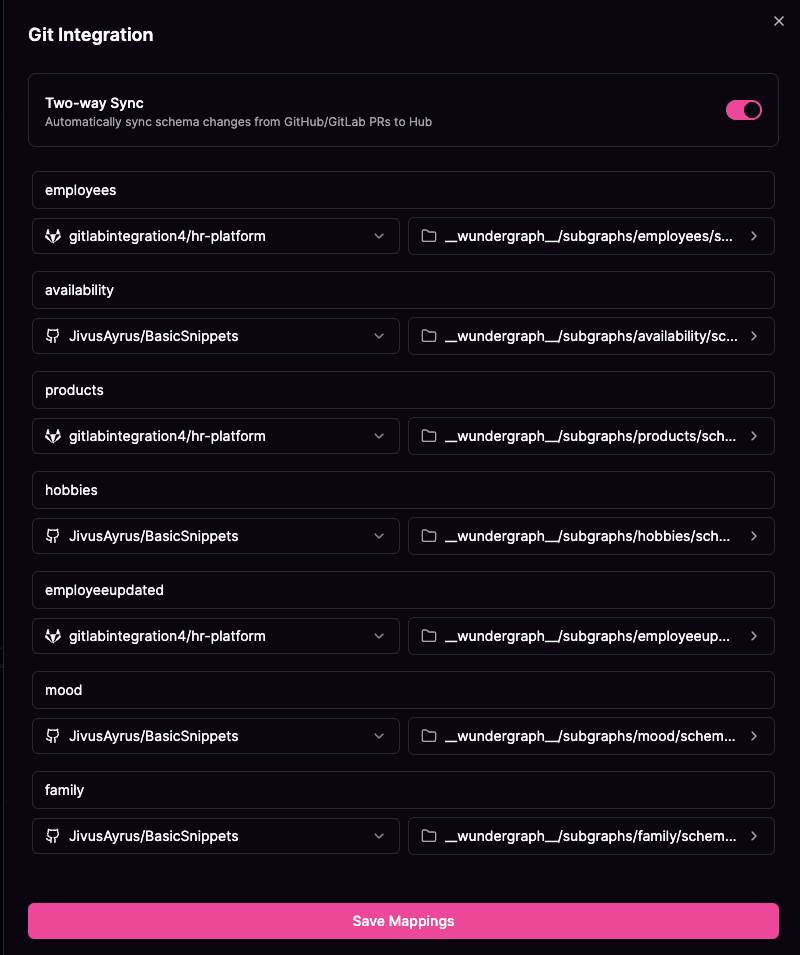
Pull Request Lifecycle
The GitHub integration automatically synchronizes pull request states with your schema proposal status, ensuring your development workflow stays aligned with your schema management process. Pull Request State Management:How It Works
Streamlined Development Workflow
The GitHub integration eliminates the friction between schema design and implementation by automatically creating branches in your mapped repositories whenever a schema proposal is made. This means developers can immediately start implementing changes without manual setup.Automatic Pull Request Creation
When a schema proposal is created in the hub, the integration automatically:- Creates a new branch in the mapped repository
- Stores the proposed schema files directly in the branch
- Creates a pull request with the schema changes on new changes after creating a proposal or by openning the proposal.