

Overview
Click on any type or field to start a conversation about it. Your comments stay connected to that specific part of the schema, so everyone knows exactly what you’re talking about.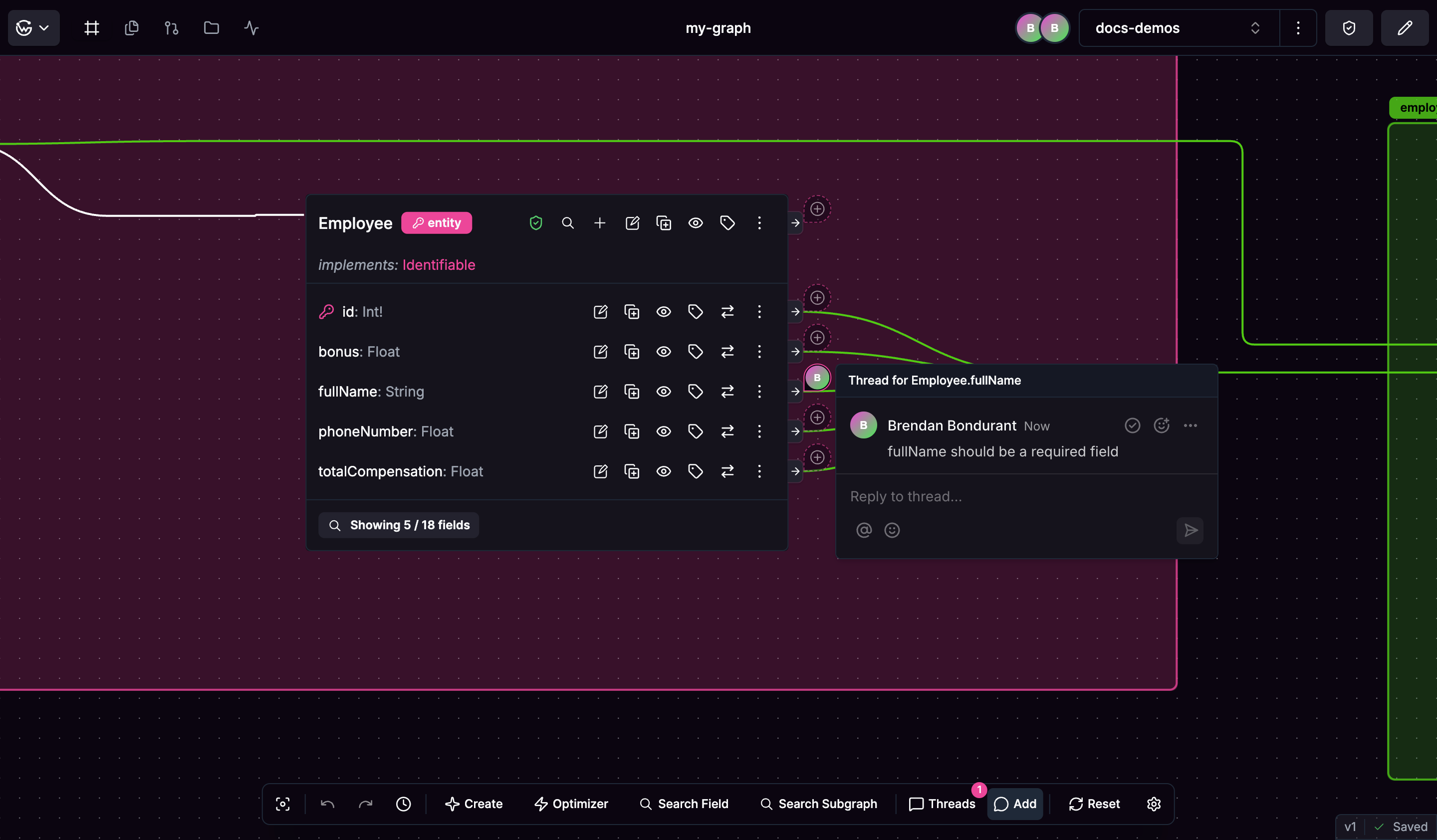
Starting Discussions
Just click what you want to comment on and start typing. Each schema element can have its own conversation thread.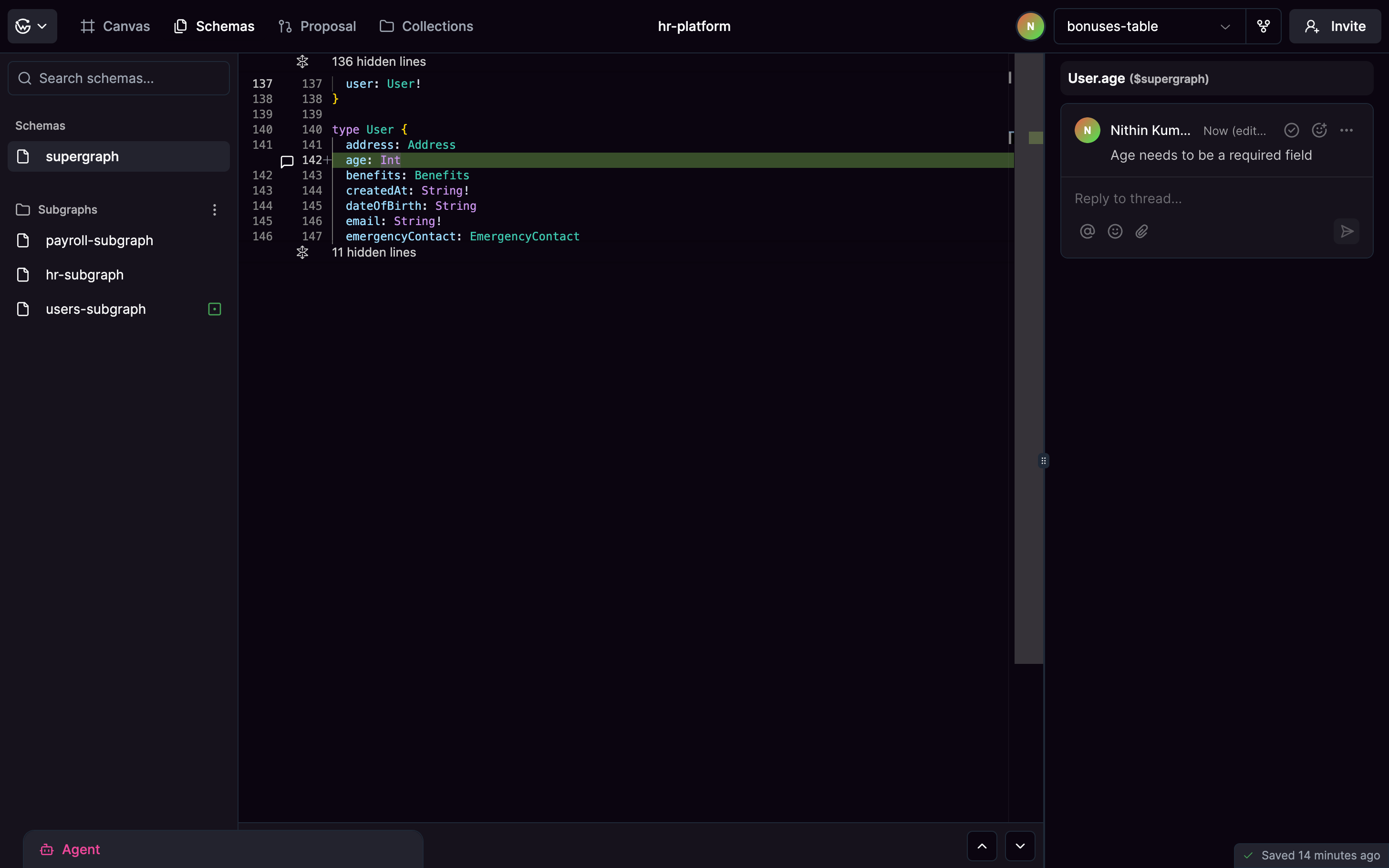
Managing Conversations
Mark discussions as resolved when you’ve made a decision. Resolved threads get collapsed but you can still read them later if needed.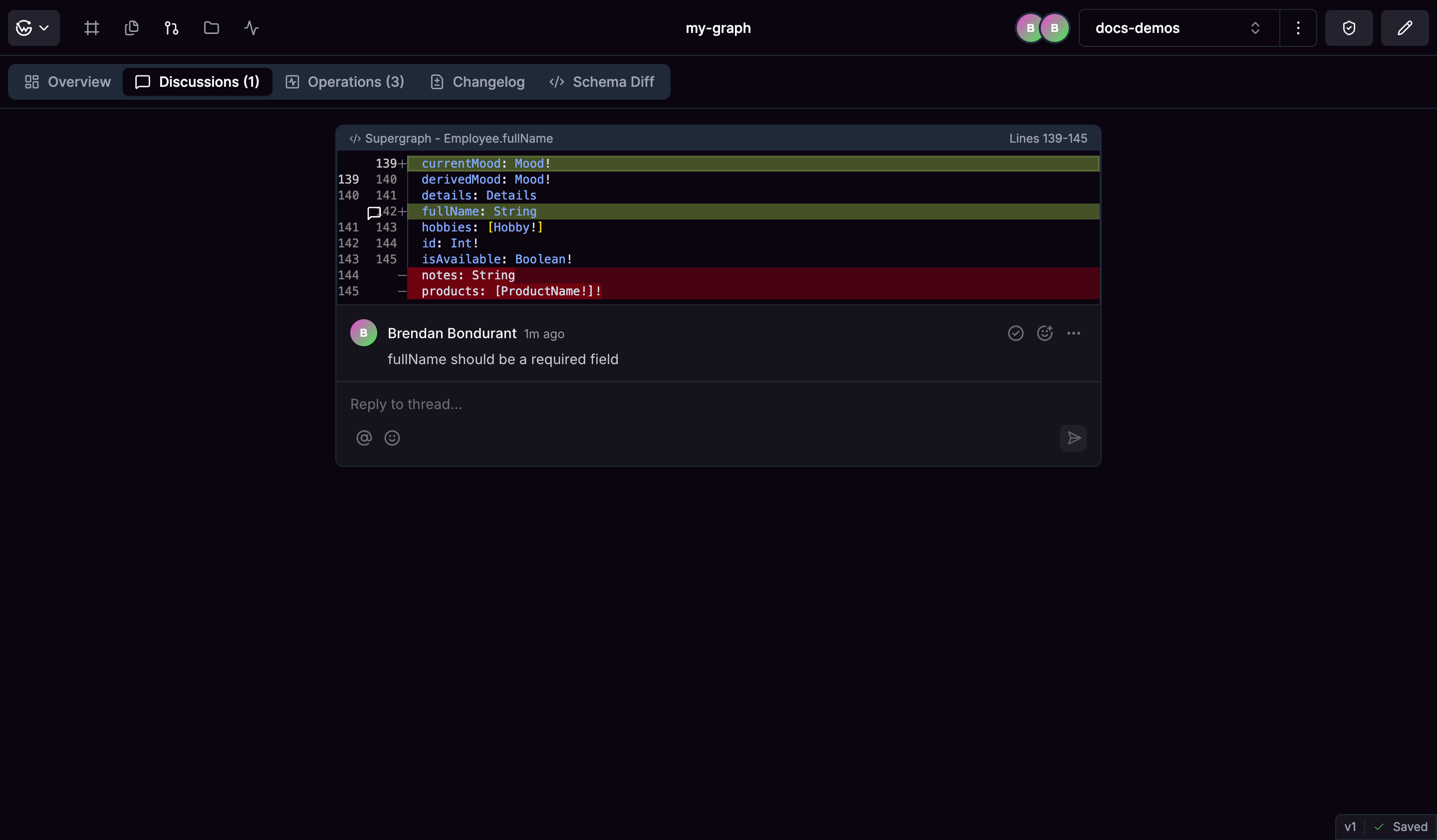
Discussions in a Proposal
When you open a proposal, Hub shows all discussion threads related to the changes in that branch. This view aggregates every thread tied to affected types and fields. Reviewers can see open questions, unresolved feedback, and resolved decisions in one place. Unresolved discussions block approval. Once all threads are resolved and required reviewers approve, the proposal can move forward.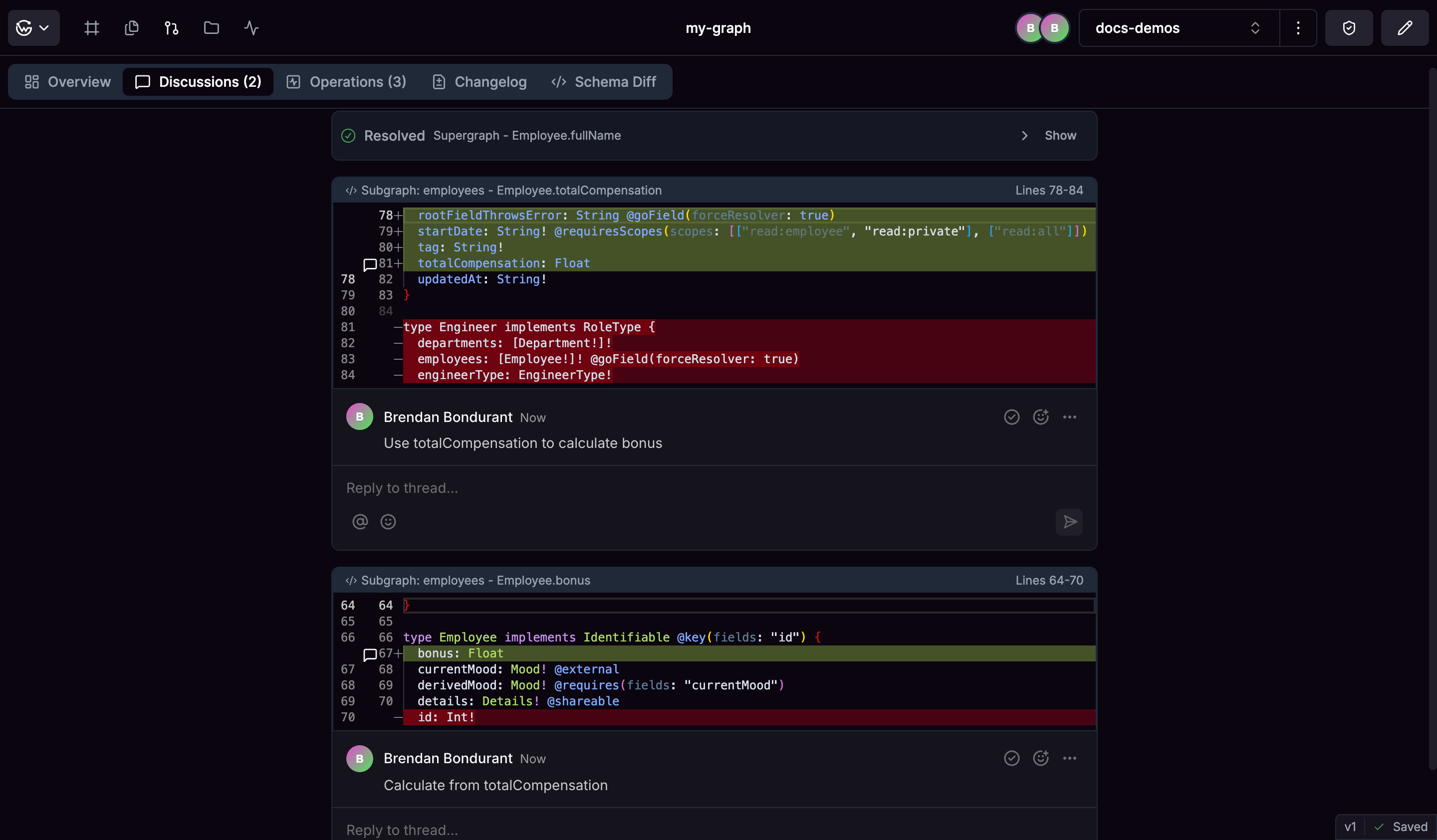
History
All your discussions stick around forever, so you can look back at why decisions were made. This is especially helpful when new people join your team or when you’re working on similar problems later. Having this history means you don’t have to remember every decision - it’s all documented right where it happened in your schema.Proposals
Collaborate on schema changes through a structured workflow with checks, impact metrics, and review