> ## Documentation Index
> Fetch the complete documentation index at: https://hub-docs.wundergraph.com/llms.txt
> Use this file to discover all available pages before exploring further.
# Proposals
> Proposals allow you to introduce changes to your federated graph in a structured way.
## What are Proposals?
Proposals provide a structured way to manage, review, and implement changes to federated graphs. They allow teams to propose and evaluate modifications to subgraphs, enabling a collaborative review process and minimizing the risk of introducing errors or breaking changes.
A proposal represents a collection of changes to a federated graph, which can include:
* Updates to existing subgraphs
* Addition of new subgraphs
* Removal of existing subgraphs
## Required configuration
To use proposals, the user should have integrated the graph with the WunderGraph Cosmo schema registry. Once the graph is integrated, the users should configure proposals on Cosmo. Click [here](https://cosmo-docs.wundergraph.com/concepts/proposals#configuring-proposals) to learn more about how to configure proposals on Cosmo.
## How to create a proposal?
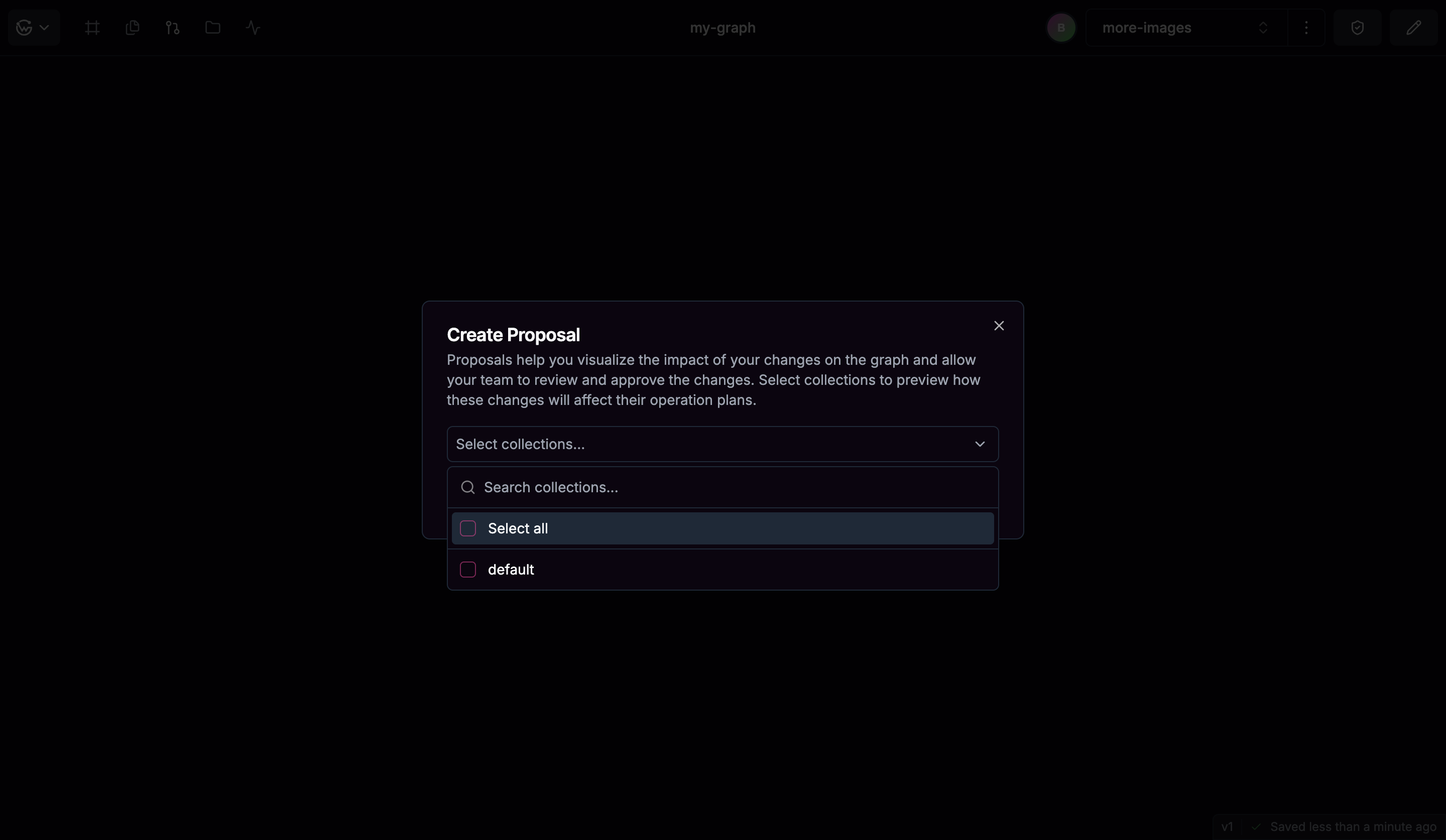
To create a proposal, follow these steps:
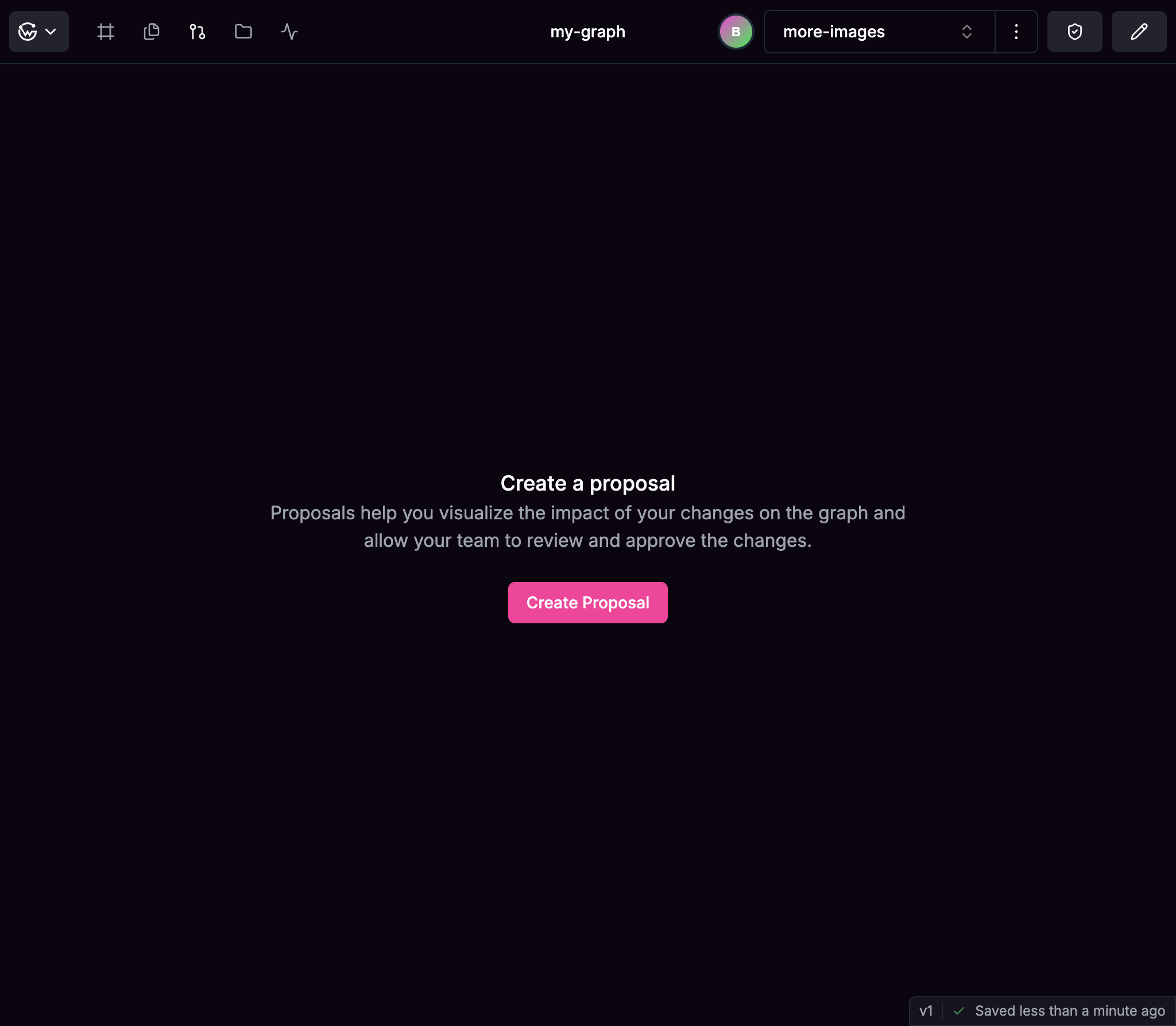 The operations in the collections will be analyzed for performance and complexity. The selection of collections is optional but recommended.
 ## Proposal Workflow
The typical workflow for proposals includes:
A team member creates a fork of the main branch, makes changes to the schema and then creates a proposal.
Automatic checks are run to validate the proposal for:
* Composition errors
* Breaking changes
* Operation impact (based on actual usage data)
* Lint errors
* Graph pruning errors
Team members can review the proposal.
Team members discuss and refine the proposal if needed.
Approving or closing the proposal based on review.
Applying approved proposals to update the federated graph.
## Proposal States
Proposals go through various states during their lifecycle:
| State | Description |
| ------------- | ------------------------------------------------------------------------------------ |
| **Draft** | It's the initial state when the proposal is created and is not yet reviewed. |
| **Open** | Indicates that the proposal is open for review. |
| **Approved** | Indicates that the proposal has been approved by authorized team members. |
| **Published** | Indicates that all the subgraphs which are part of the proposal have been published. |
| **Closed** | Indicates that the proposal has been closed. |
## Why Use Proposals?
Proposals help teams:
* **Collaborate on schema evolution**: Enables team members to review and approve changes.
* **Document schema changes**: Keeps a historical record of modifications to your graph.
* **Enforce governance**: Implements proper change management for your GraphQL architecture.
* **Prevent breaking changes**: Identifies and addresses potential issues before they impact users.
## Proposal Workflow
The typical workflow for proposals includes:
A team member creates a fork of the main branch, makes changes to the schema and then creates a proposal.
Automatic checks are run to validate the proposal for:
* Composition errors
* Breaking changes
* Operation impact (based on actual usage data)
* Lint errors
* Graph pruning errors
Team members can review the proposal.
Team members discuss and refine the proposal if needed.
Approving or closing the proposal based on review.
Applying approved proposals to update the federated graph.
## Proposal States
Proposals go through various states during their lifecycle:
| State | Description |
| ------------- | ------------------------------------------------------------------------------------ |
| **Draft** | It's the initial state when the proposal is created and is not yet reviewed. |
| **Open** | Indicates that the proposal is open for review. |
| **Approved** | Indicates that the proposal has been approved by authorized team members. |
| **Published** | Indicates that all the subgraphs which are part of the proposal have been published. |
| **Closed** | Indicates that the proposal has been closed. |
## Why Use Proposals?
Proposals help teams:
* **Collaborate on schema evolution**: Enables team members to review and approve changes.
* **Document schema changes**: Keeps a historical record of modifications to your graph.
* **Enforce governance**: Implements proper change management for your GraphQL architecture.
* **Prevent breaking changes**: Identifies and addresses potential issues before they impact users.